I just moved offices and had to re-verify my Google Business Profile. During the process, I realized that about half the GBP advice floating around online is outdated. The postcard verification everyone describes? Google now recommends video wherever it offers it.
So I rewrote this page. What you are reading is the current reality as of October 2026. If you have not claimed your Google Business Profile yet, or if yours is sitting there half-finished, this is the walkthrough I wish someone had given me.
Half the GBP advice online is outdated. Postcard verification? Google recommends video wherever it offers it.
Why GBP Before Anything Else
Before you pay for ads, before you upgrade your Psychology Today listing, before you hire an SEO company, this is where you start.
| Channel | Monthly Cost | What You Get |
|---|---|---|
| Google Business Profile | $0 | Map Pack placement, reviews, posts, booking, messaging |
| Psychology Today | $29.95 | A listing beside other therapists in your area |
| SEO services | A monthly fee | Organic ranking improvements (Google says some changes take effect in a few hours and others could take several months) |
| Google Ads | Your ad budget | Paid clicks — stops the moment you stop paying |
| Facebook/Instagram Ads | Your ad budget | Social impressions (how many times your post was shown) |
Here is what I see constantly: a therapist paying $29.95 a month for Psychology Today, maybe another $300-500 on Google Ads to “get some visibility,” and their Google Business Profile either does not exist or says nothing beyond their name and phone number. They are paying for marketing while ignoring the free thing that does more than both.
How to Claim Your Profile (The 2026 Process)
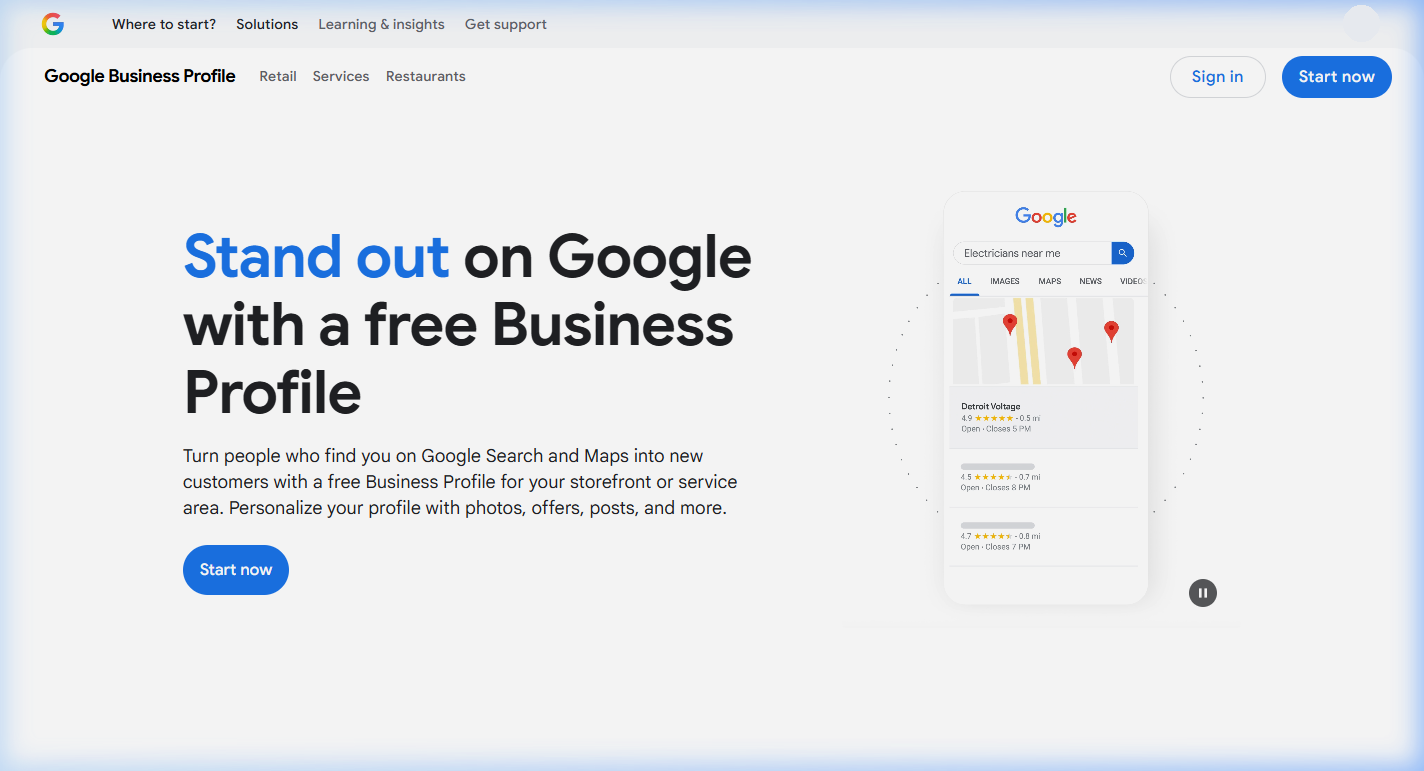
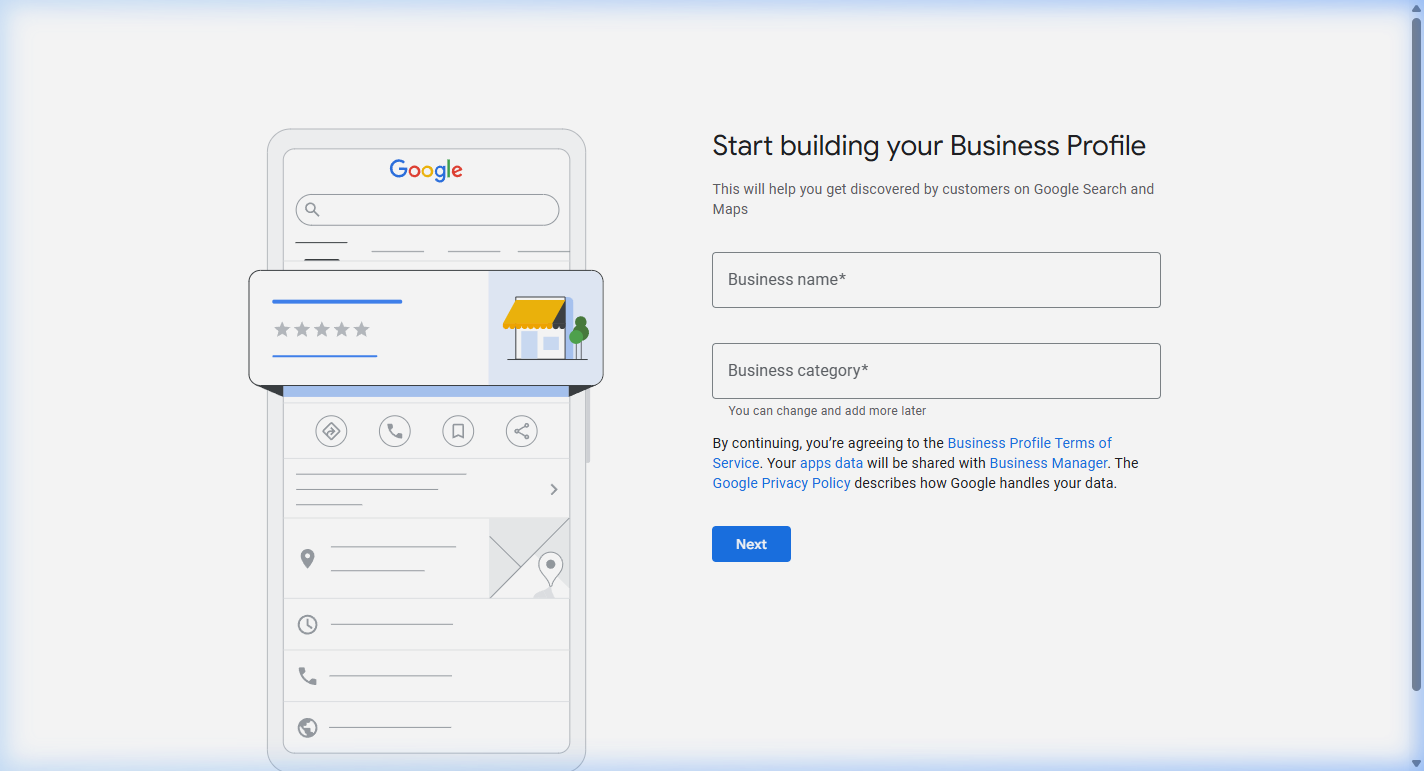
If you have not claimed your profile yet, here is what the process looks like right now.
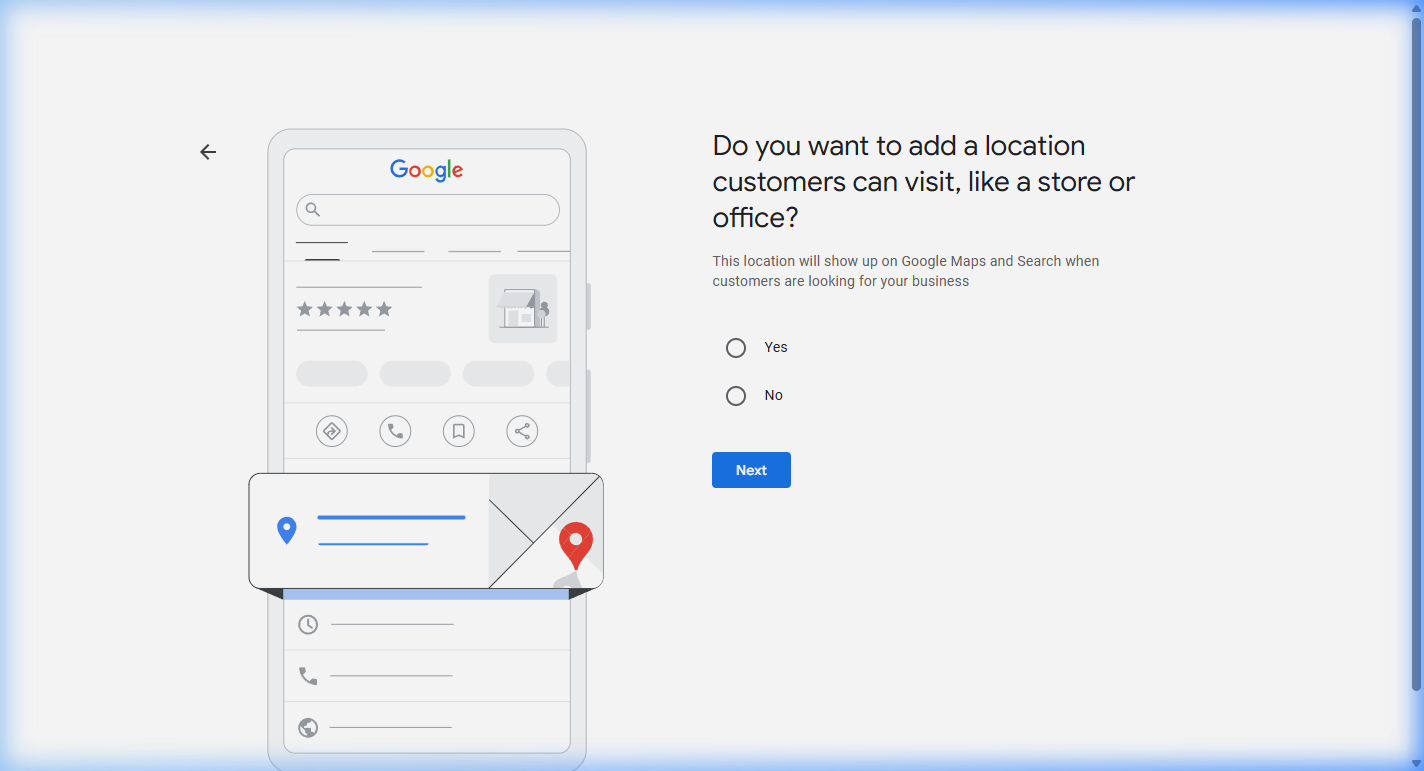
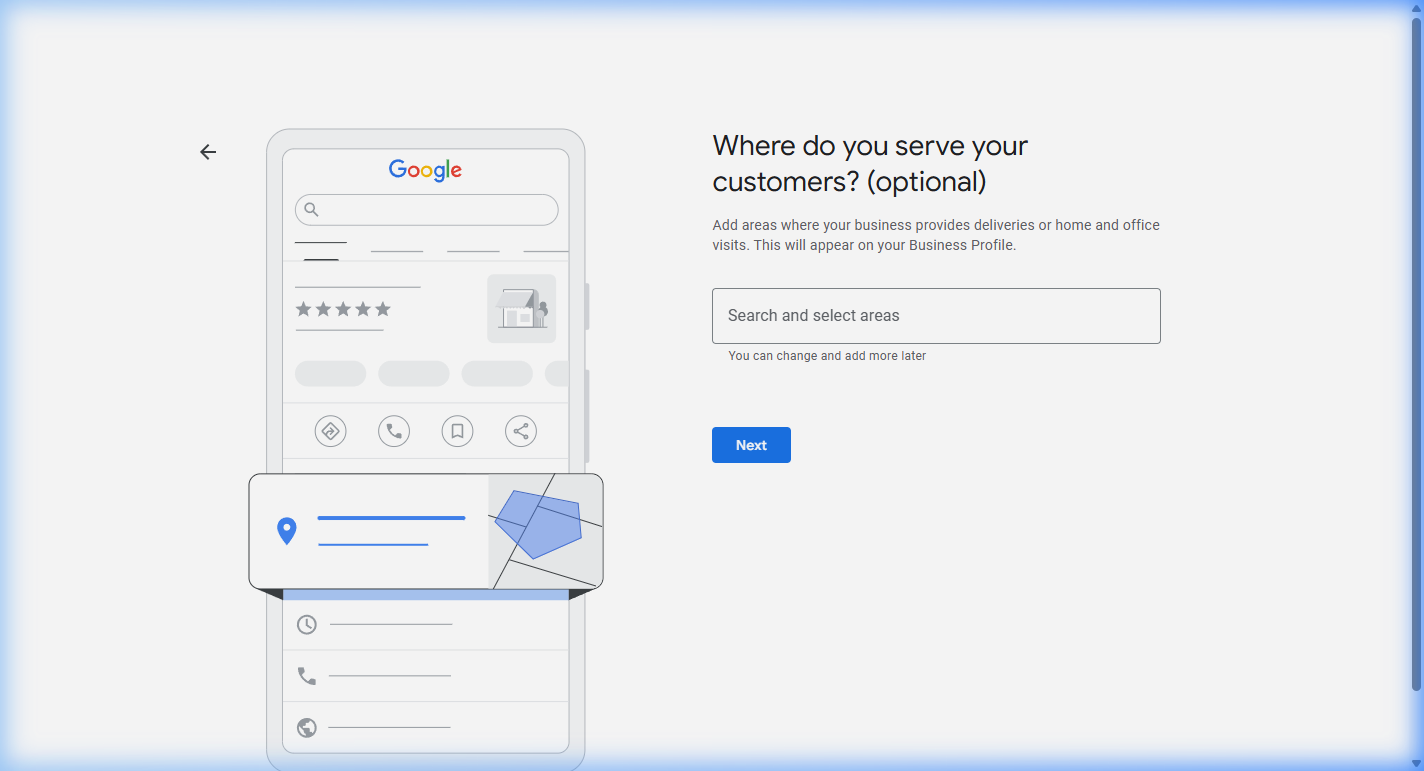
Here is what each step looks like when you sit down and do it:
The Stuff That Changed (And the Advice You Should Stop Following)
Verification Is Different Now
Two years ago, Google sent you a postcard with a code. You waited for it, typed in the code, and you were done. Postcards still exist, but Google now picks which verification methods each business gets, and it recommends video wherever video is offered.
If you are offered video verification, Google asks you to record a continuous, unedited video showing:
- Exterior: Your building, street name or address numbers, any signage
- Interior: Your office space, evidence this is a real business
- Proof of management: Unlocking the door, business license, or branded materials
Google’s spec is at least 30 seconds, recorded live in the interface Google provides — one continuous, unedited take. Do not pre-record it. And do not panic. It does not have to be cinematic. It just has to be real.
I went through re-verification when I moved offices. The process was mildly annoying, like filling out forms at a new doctor’s office. It was not the nightmare the internet makes it sound like. You can do this.
The Q&A Section
If you have read any GBP optimization guide written before 2026, it probably tells you to “seed your Q&A section”: ask and answer your own common questions on your profile.
Google switched off the connection that let other software post Q&A answers on November 3, 2025. In March 2026 it began rolling out something called “Ask Maps” in the U.S. and India, where Google’s AI ( Gemini Google’s AI assistant. In Ask Maps, Google says Gemini answers questions about places from what Maps holds on them. ) answers people’s questions about places. Google says Maps draws on information from over 300 million places, including reviews. Google’s help page says a Q&A section is now offered only in some business categories and regions, and where it is, owners and managers answer the questions.
What this means for you: do not plan around a Q&A section.
The advice is not “seed your Q&A” anymore. The advice is: make sure the information on your profile and website is complete, accurate, and answers the questions your potential clients are asking.
The Algorithm
Google says local results are mainly based on three things: relevance (how well your profile matches the search), distance How close your practice is to the person searching. You cannot change this one. Relevance and popularity are the two you can work on. (how close you are to the searcher), and popularity (how well-known your business is; the same help page also calls it prominence).
The practical takeaway, from Google’s own ranking help: complete and accurate info makes you more likely to show up in local results. More reviews and positive ratings can help your ranking. Photos and videos show people what you offer. It does not say how often. The pace I suggest below is my own advice. Keep yours complete and current, and post because it helps the people reading it.
What to Optimize (And the Order That Matters)
Once you are verified, here is what to focus on:
1. Business Description (750 Characters)
You get 750 characters. Lead with what you do and who you help. Not your credentials. Not your philosophy.
One rule to know: Google’s policy keeps prices, offers with an end date, and direct calls to action (“Call today!”) out of the listing itself. Offers go in posts.
2. Photos and Videos
Upload real photos. Your office. Your waiting room. A professional headshot where you look like a real person, not a stock photo. Google’s own help says photos and videos make your profile more attractive to customers.
Short videos can be up to 30 seconds and 75MB. A quick “welcome to my practice” video builds trust before someone ever calls you. Aim to add 2-3 new photos per month.
3. Reviews
Reviews matter. A few things to know:
Asking for reviews can be ethical, and who you ask decides it. The line is influence. The APA’s code says psychologists do not solicit testimonials from current therapy clients or from anyone vulnerable to undue influence, and the same line works for any of us: never ask a client who is still in active treatment with you. If one brings it up on their own, you can tell them how, and help them leave out anything about their health and write about what working with you is like, not what brought them in.
Unless your professional code bars it (the caveat below covers this), clients who have graduated, are being discharged, or have stepped down to maintenance can usually be asked, and so can colleagues and professionals who refer to you, with an honest disclosure of how they know you. Google may still remove a review from a colleague or referral partner, because its conflict-of-interest policy can cover a professional or personal tie to the business. Ask every client at that stage the same way: Google bans selectively asking for positive reviews, and the FTC’s guide says not to ask only the customers you think will leave positive ones, because that “may violate the FTC Act.” Yelp bans asking anyone at all.
One caveat applies to all of this: we are in Missouri, and we speak only for Missouri. Read your own state’s rules before you ask anyone, since they can differ by license even inside one state, and if you belong to a professional association or hold its credential, its code binds you too. The APA and NASW codes name current clients and anyone “vulnerable to undue influence,” while the ACA’s C.3.b names “former clients” as well, and none of those rules mentions reviews by name. For a full breakdown on review ethics and strategy, see our complete guide to reviews for therapists.
Respond to every review. A thoughtful response (that protects confidentiality: never confirm someone is a client) shows potential clients that you are engaged and responsive.
4. Posts
Google Posts are free mini-updates that appear on your profile. Think of them as social media posts, except they are on Google where people are looking for a therapist. Post about new availability, mental health awareness topics relevant to your specialty, or practice updates.
5. Services and Products Sections
Even though you are not selling “products,” GBP’s Products section works well for listing your therapy modalities. Create entries for each service: Individual Therapy, Couples Counseling, EMDR, Telehealth Sessions. Google says that when local customers search for an offering you provide, that service may be highlighted on your profile. Keep each entry to what the service is. Anything with a price or an end date belongs in posts.
6. Booking Links
If you use SimplePractice, Jane App, Calendly, or any online scheduling tool — add the direct booking link to your GBP. This adds a booking link to your profile. The shorter the path from “this therapist looks good” to “I just scheduled,” the better.
If You Work from Home or Do Telehealth Only
This is where most guides fall apart, because they are written for businesses with storefronts. Therapists who work from home or exclusively do telehealth have specific challenges:
Home Office — When to Hide Your Address
If you travel to your clients and they do not come to your home, register as a Service-Area Business A GBP designation for businesses that visit or deliver to customers instead of serving them at the business address. Your address is hidden from public view. (SAB). During setup, answer No when Google asks whether you want to add a location customers can visit. That keeps your home address off your public profile.
If clients do come to your home office, it is a location customers visit. Answer Yes if it has a permanent sign with your practice name: Google describes a storefront business as one that meets customers in person during business hours at a physical location with permanent on-site signage, and its verification video must show the name on that sign. Without one, you do not fit that description. Google’s verification page says a business that doesn’t have a physical location should list as a service-area business instead of a storefront.
Which answer fits you:
- Clients come to an office or home office that has a permanent sign with your practice name: Yes.
- Clients come to an office or home office with no such sign: list as a Service-Area Business.
- You travel to your clients: Service-Area Business.
- You see clients only by video: Google's rules do not allow a profile (more on that below).
Video Verification Without Signage
Google says that to qualify for a Business Profile, a business must make in-person contact with customers during its stated hours, so verifying from home only fits if you meet clients in person, at your home office or by traveling to them. If your office has no permanent sign with your practice name, you verify as a Service-Area Business. Google lets a service-area business run from home record landmarks and signs in its immediate neighborhood. Here is what to record:
Do not show faces. Do not narrate. Just show the space and the evidence.
Telehealth-Only Practices
Google’s rules only allow a Business Profile for a business that meets customers in person, at a place they visit or, for a service-area business, at the customers’ own locations. If you see every client by video, you do not meet that test. A service area, a hidden address or a mailbox does not change that.
Put your effort into your own website instead. Make sure search engines can crawl and index it. Then say plainly what you treat, that you work by video, and the state or states where you can see clients. Include your fees and how to book, plus the license details your state board’s advertising rules ask for. Missouri’s, for one, cover advertising, public directories and solicitation.
Yelp and Bing Places are free to join, and Apple says you can start on Apple Business for free. Apple’s page welcomes businesses that operate fully online, while Yelp and Bing Places set their own address rules, so read each one before you sign up. Add the therapist directories that fit your practice, and wherever you list, never present a mailbox as a place clients visit.
How to Know If It Is Working
Your GBP dashboard has a “Performance” section, and Google says its performance data gives you insight into how people discover your Business Profile. Here is what to look at:
Searches: The search terms people used to find your business. If “anxiety therapist [your city]” shows up and “couples counselor [your city]” does not, that tells you what your profile is optimized for, and where there is room to improve.
Customer actions: Website clicks, direction requests, phone calls. This is your conversion metric. If you are getting views but no actions, your profile is not compelling enough: look at your photos, description, and reviews.
Check these monthly. Adjust your description, categories, and post frequency based on what the data tells you.
When GBP Is Not Enough (And What Comes Next)
GBP is your foundation, not your ceiling. Here is when to invest in the next layer, and the order still matters:
After GBP → Build or improve your website. A professional, mobile-optimized website is your next highest-impact investment. Your GBP links to your website. If the website does not convert visitors to callers, your GBP does the hard work for nothing. You do not need an expensive custom site. A clean, well-built website that clearly describes your services and makes it easy to contact you is more than sufficient for most solo practices.
After your website → Start creating content. Blog posts targeting questions your clients ask build organic visibility over time. This is free (just your time) and it compounds: a good blog post keeps generating traffic for years, unlike ads that stop the moment you stop paying.
After content → Consider paid marketing, if you need faster growth. Google Ads targeting high-intent searches (“therapist near me” + your city) can supplement your organic visibility. But only invest here after your GBP and website are converting visitors. Start modest, and give it long enough to tell you something; the Google Ads guide explains why.
The order matters. Skipping steps wastes money. A beautifully optimized GBP that links to a website last updated in 2019 is a leaky bucket.
Your Google Business Profile costs nothing to claim and nothing to optimize, and it puts you in front of the exact people searching for what you offer.
If you have not started yet, start today. Go to business.google.com. Search your practice name. Verification usually completes within a week.
A Fit Check is a 20-minute conversation with me: free, no commitment. If we go on from there, the one required payment is the $250 Collab Session: one hour with me that every website build starts with. The build itself is free; once your site is live, donate what you feel it was worth, or nothing. Hosting is $32 a month. If you ever stop paying it, the site goes down — but the files are yours. The $250 includes ownership: everything we build for you is yours.